
Add a Likert question to a scale
Source:vignettes/articles/docs/question-types/likert.Rmd
likert.RmdDocumentation / Question types
Add a question, choose Likert, and choose the choice set that holds its answer options, such as Strongly disagree to Strongly agree.
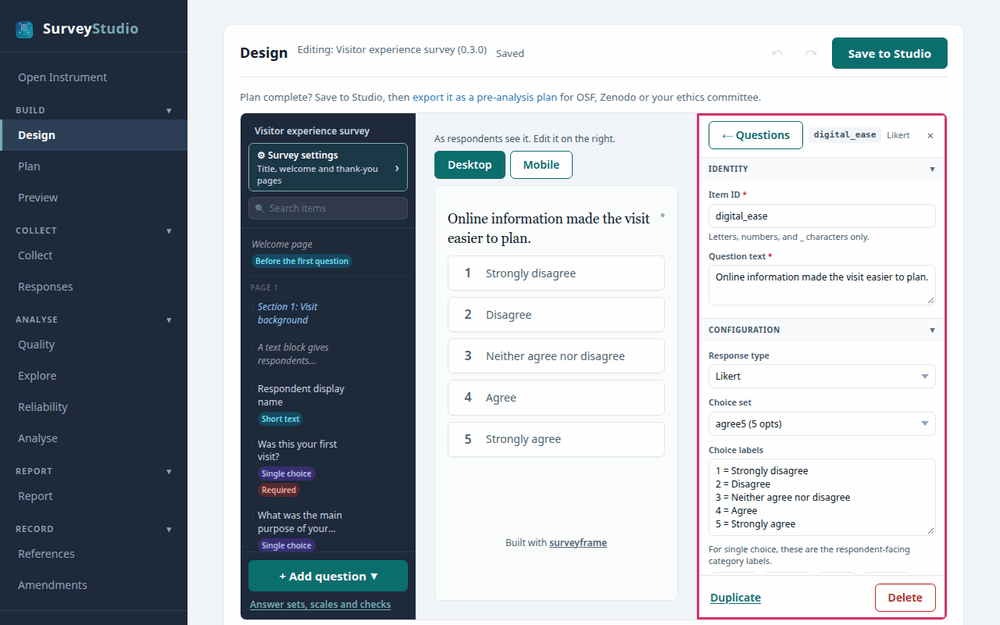
Questions, response options and scales
A question asks 1 thing and is stored as 1 column. Its response options are the labelled choices it offers, such as Strongly disagree to Strongly agree, and related questions share 1 set of options. A scored scale combines a group of related questions into 1 score, and its reliability is checked as a whole.
To build a scored scale:
- Add 1 Likert question for each item of the scale, each with 1 idea.
- Give every item the same choice set.
- In Scale, assign each item to the scale it scores into.
- Tick Reverse-scored for each item worded against the others.
- In the analysis plan, declare the scale’s reliability and the analyses that use its score.
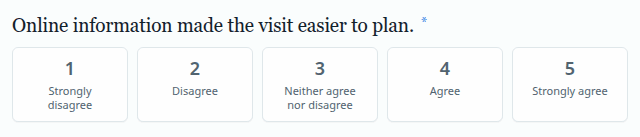
Settings
- Choice set. Choose the answer options, the labelled points of the scale such as Strongly disagree to Strongly agree. Give the items of 1 scale the same choice set.
- Scale. Assign the item to its scored scale, so the items combine into 1 score and their reliability is checked together.
- Reverse-scored. Tick it for an item worded against the others, so a high answer means the same on every item.
Best practices for research
Label every point of the scale, and keep each item to 1 idea, so every respondent answers the same question.
Reference: Krosnick, J. A., & Presser, S. (2010). Question and questionnaire design. In P. V. Marsden & J. D. Wright (Eds.), Handbook of survey research (2nd ed., pp. 263-313). Emerald.