
Documentation / Question types
Add a question, choose Numeric, and set the range the answer may take.
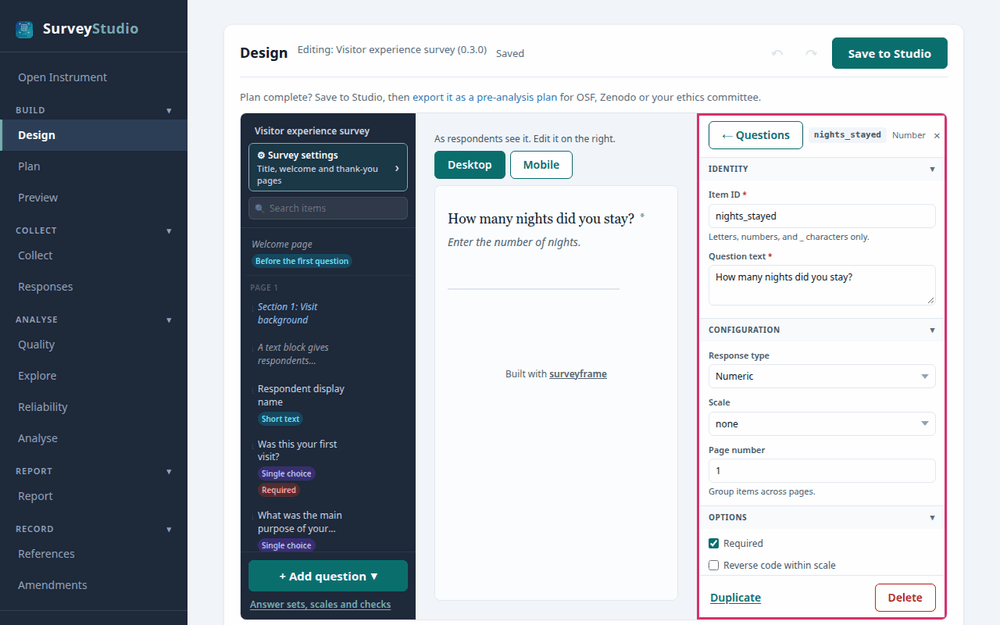
SurveyStudio’s Design screen with the number
question selected and its settings panel outlined.

Settings
- Minimum and maximum. Set the accepted range. A respondent whose entry is outside it is asked to correct it.
Best practices for research
Name the unit in the question, such as nights or years, so every respondent answers on the same scale.
Reference: Dillman, D. A., Smyth, J. D., & Christian, L. M. (2014). Internet, phone, mail, and mixed-mode surveys: The tailored design method (4th ed.). Wiley.