
Documentation / Question types
Add a question, choose Slider, and set its range and step.
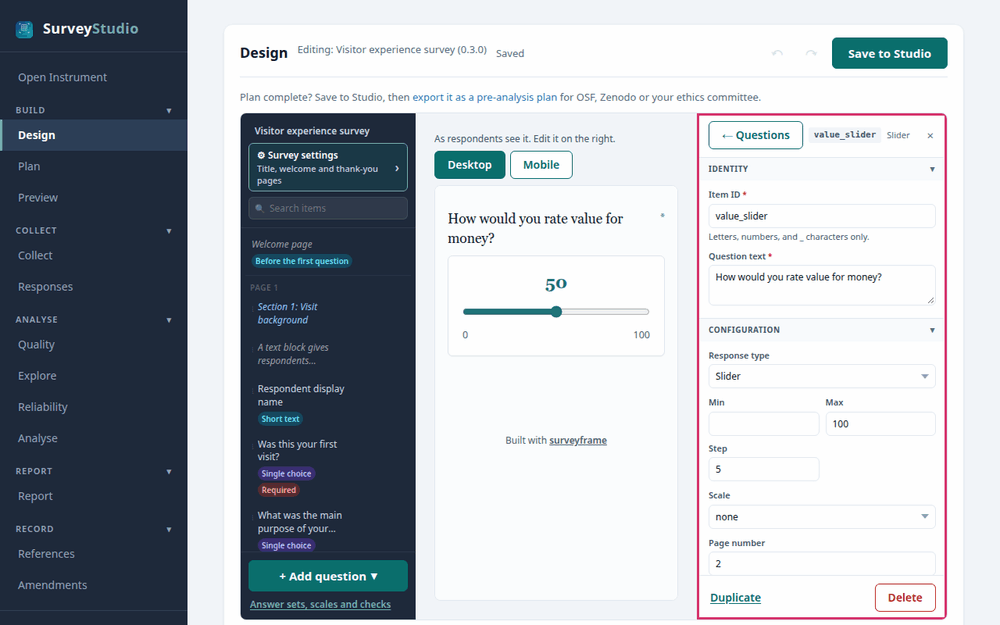
SurveyStudio’s Design screen with the slider
rating selected and its settings panel outlined.
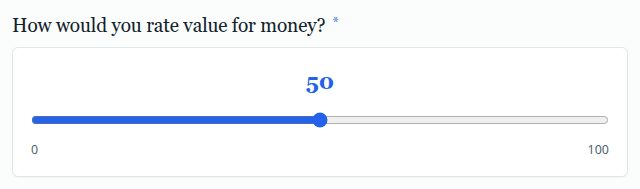
Settings
- Minimum, maximum and step. Set the range and how finely the respondent can place the handle.
Best practices for research
Label both ends with what they mean. A slider that starts at a value records it as an answer, so check what was moved.
Reference: Dillman, D. A., Smyth, J. D., & Christian, L. M. (2014). Internet, phone, mail, and mixed-mode surveys: The tailored design method (4th ed.). Wiley.